Personalizing Sitecore Marketplace Apps Without the Auth Overhead
A truly seamless application shouldn't feel like a disconnected tool - it should feel like a native extension of your workspace. If you are already logged into a platform, any integrated app should immediately know who you are.
This was the exact user experience we wanted to deliver when my team at Horizontal Digital started building the Sense App for the Sitecore Agentic AI Partner Challenge.
The app itself is a powerhouse designed to analyze and act on data. If you want a deep dive into how the backend mechanics operate, my co-worker wrote a fantastic article on our setup: Winning with Agentic AI: How Multi-Agent Architecture Transformed Customer Intelligence into Strategic Action. Building that intelligence engine ultimately led to Horizontal Digital winning the Agentic AI Partner Challenge award at Symposium 2025.
While the AI agents handled the heavy lifting on the backend, we faced a specific UX challenge on the frontend. We wanted to personalize the Sense App by greeting the user with their name, making the transition between the core Sitecore platform and our marketplace app feel entirely fluid.
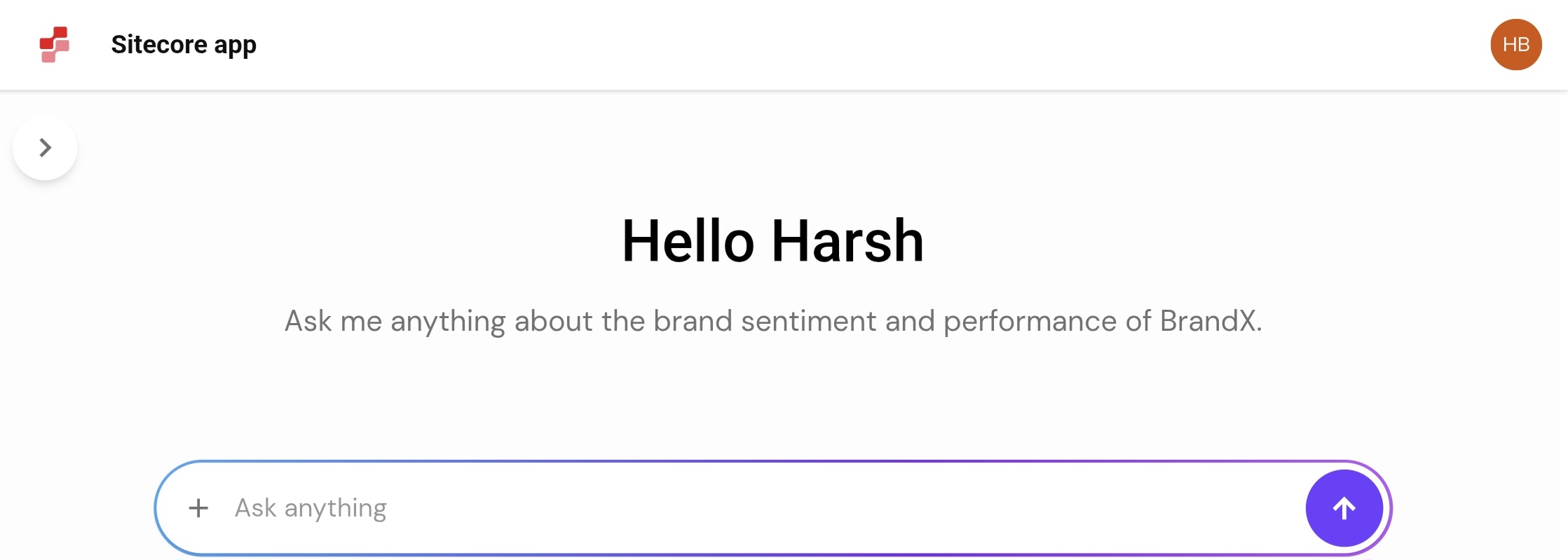
Importantly, we only needed simple authentication context - just the user's identity - not a complex authorization layer. Reinventing the authentication wheel inside the marketplace app just for a personalized greeting felt like overkill.
The usage of this specific function wasn't clearly documented in the standard guides. Fortunately, perfect timing struck. I stumbled upon a LinkedIn post by Christian Hahn that pointed me in the exact right direction using the Sitecore Marketplace SDK.
While this approach might be standard for some, I wanted to document it here to save others the time spent digging.
The Solution: Querying host.user
The @sitecore-marketplace-sdk/client provides a way to securely query the host environment. By passing "host.user" to the client query, you can retrieve the standard UserInfo object.
Here is the custom React hook I wrote to handle this cleanly in our app:
import { useMarketplaceClient } from "./useMarketplaceClient";
import { useState, useEffect } from "react";
import { UserInfo } from "@sitecore-marketplace-sdk/client";

export interface UseUserReturn {
    user: UserInfo | undefined;
    isLoading: boolean;
}

export function useUser(): UseUserReturn {
    const { client, isInitialized } = useMarketplaceClient();
    const [user, setUser] = useState<UserInfo | undefined>(undefined);
    const [isLoading, setIsLoading] = useState(true);

    useEffect(() => {
        async function fetchUserData() {
            if (!client || !isInitialized) {
                return;
            }

            try {
                setIsLoading(true);
                const { data } = await client.query("host.user");
                setUser(data);
            } catch (error) {
                console.error("Failed to fetch user data:", error);
            } finally {
                setIsLoading(false);
            }
        }

        fetchUserData();
    }, [client, isInitialized]);

    return { user, isLoading };
}
How It Works
The hook relies entirely on await client.query("host.user"). This simple call bridges the gap, allowing the frontend to know exactly who is interacting with it.
If you are setting up an app from scratch, I highly recommend reviewing the Sitecore Quick Start Manual. For a deeper look at what else you can extract from the host environment, check out the QueryMap interface in the SDK repository.
Try It Yourself
If you want to see this hook in action, I have put together a standalone React implementation. You can explore the full code and test it out in my Marketplace Playground repository on GitHub.
Hopefully, this small snippet saves you some architectural headaches on your next integration!